KeBe v2 pre-order, plus shipping, to Canada.
KeBe v2 and the planned Lite
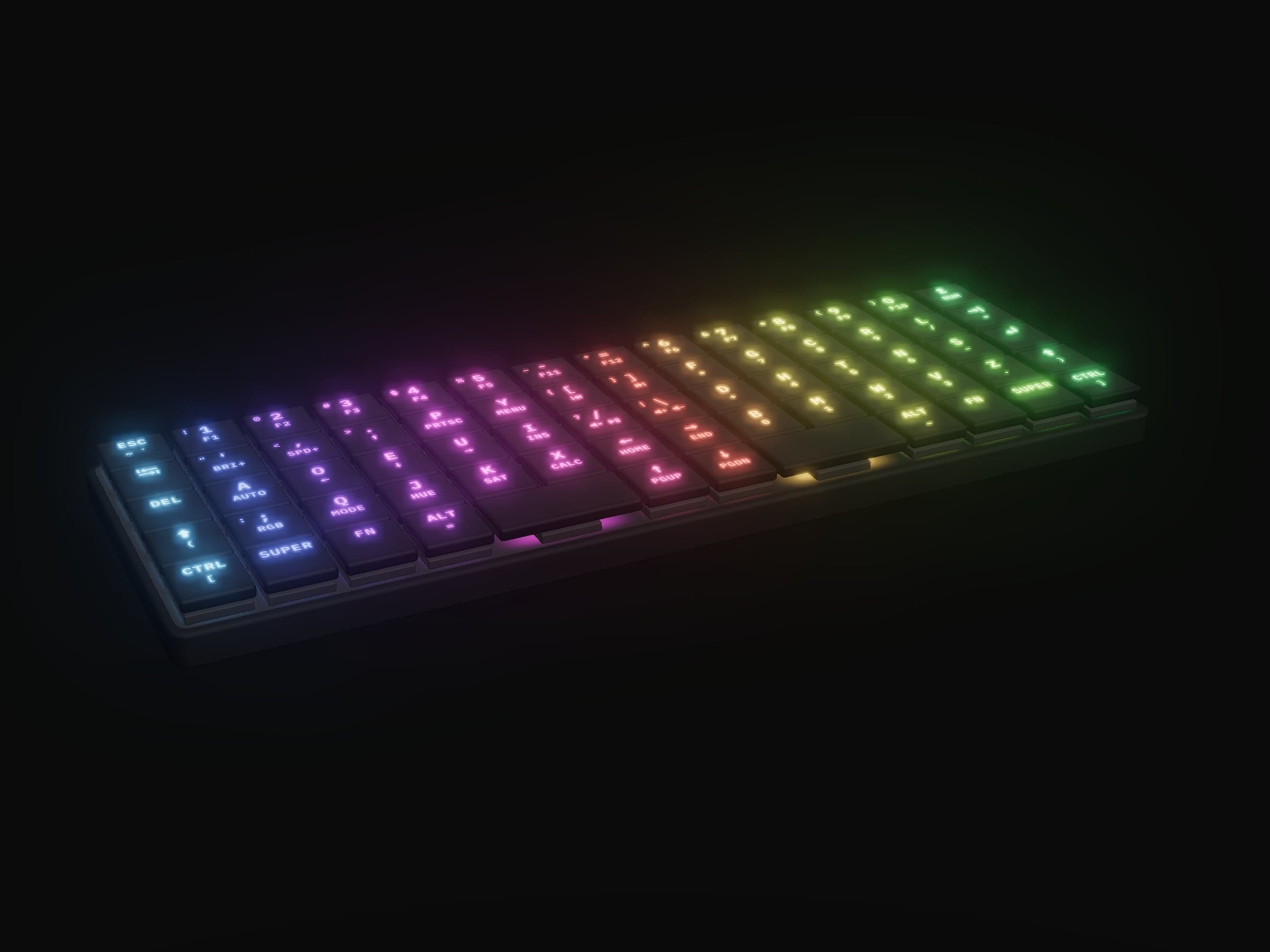
KeBe v2 CA$349.00
Mechanical
- Keys
- Kailh Choc low-profile mechanical switches, under separate keycaps
- Key tops
- Black-coated caps, the legends laser-engraved through the coating so they shine through
- Change a key
- Yes: hot-swap sockets, no solder
- Height
- Low-profile: the switch tops stand 14.45 mm up, the keycaps above them
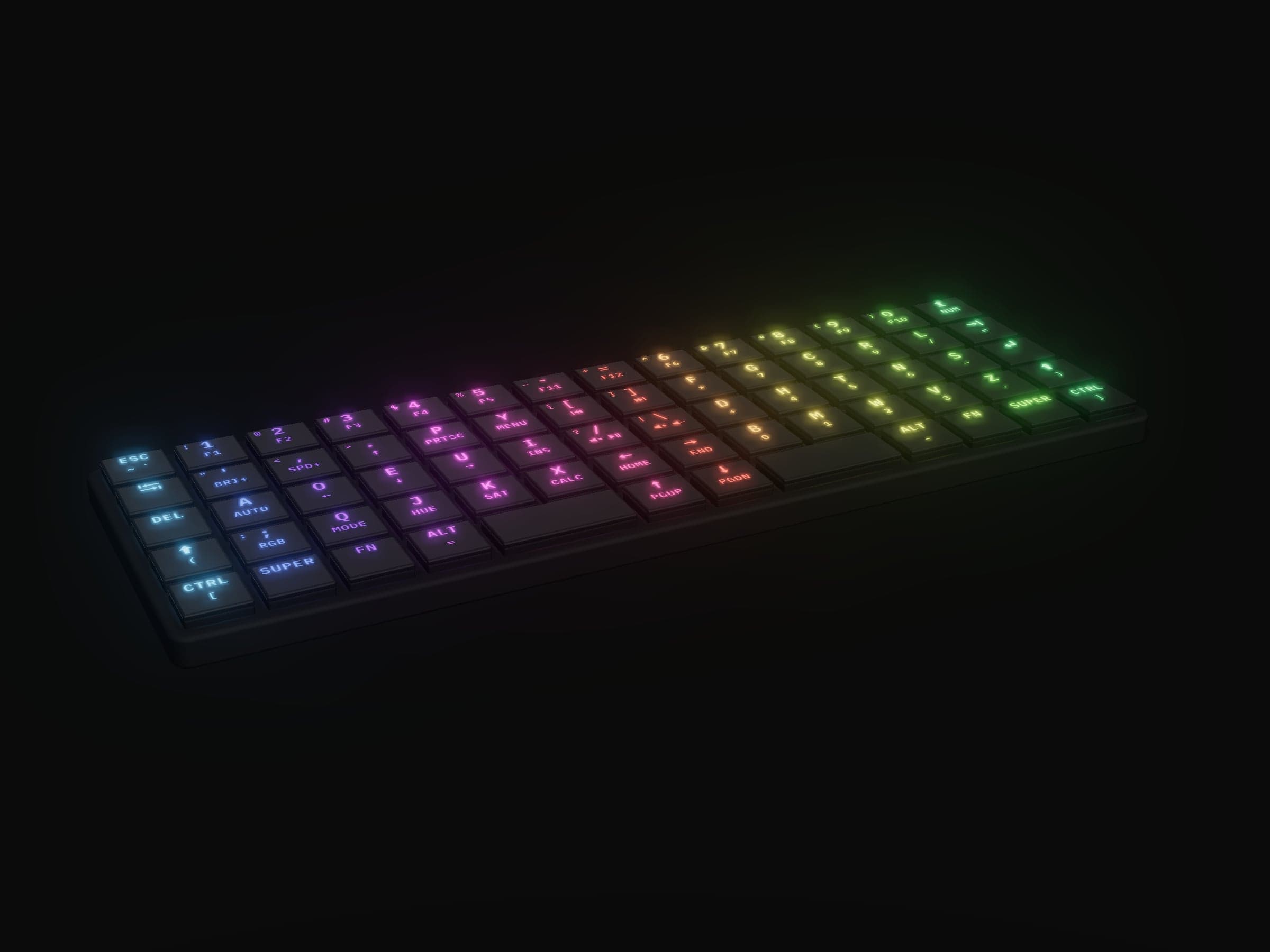
KeBe Lite CA$129.99 planned
Slim membrane
- Keys
- Membrane keys: hard plastic key tops on rubber domes, all 68 one moulded keypad
- Key tops
- Translucent plastic painted black, the legends laser-etched through so they shine through
- Change a key
- No: the keypad is one part
- Height
- Slim: 10.95 mm to the key tops
Both: the Matrix-Dvorak layout, four USB-C ports with a 3-port USB 2.0 hub, per-key RGB, QMK and a screwless black nylon case, each keyboard assembled by hand in Canada. Heights are from the case's underside, before its stick-on feet; the pictures are renders.
KeBe v2's shipping is calculated at checkout, where the board is charged in full.
KeBe v2: v1's board, with a hub built in
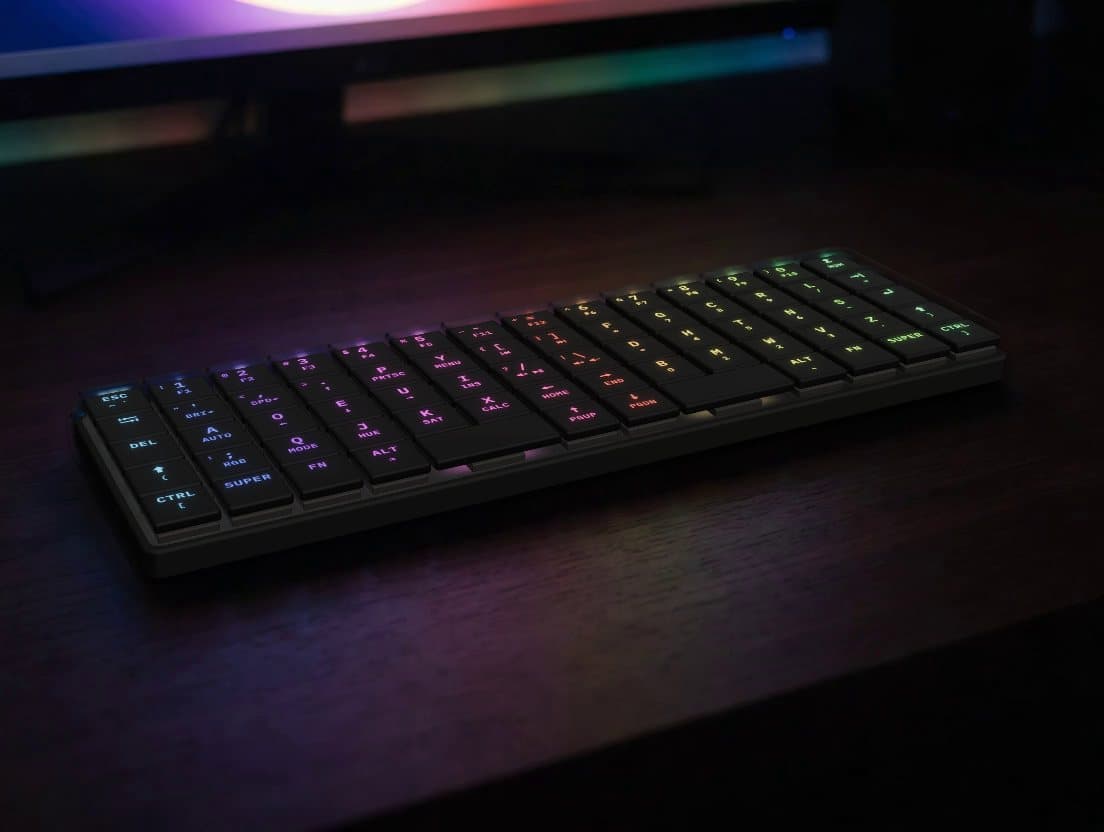
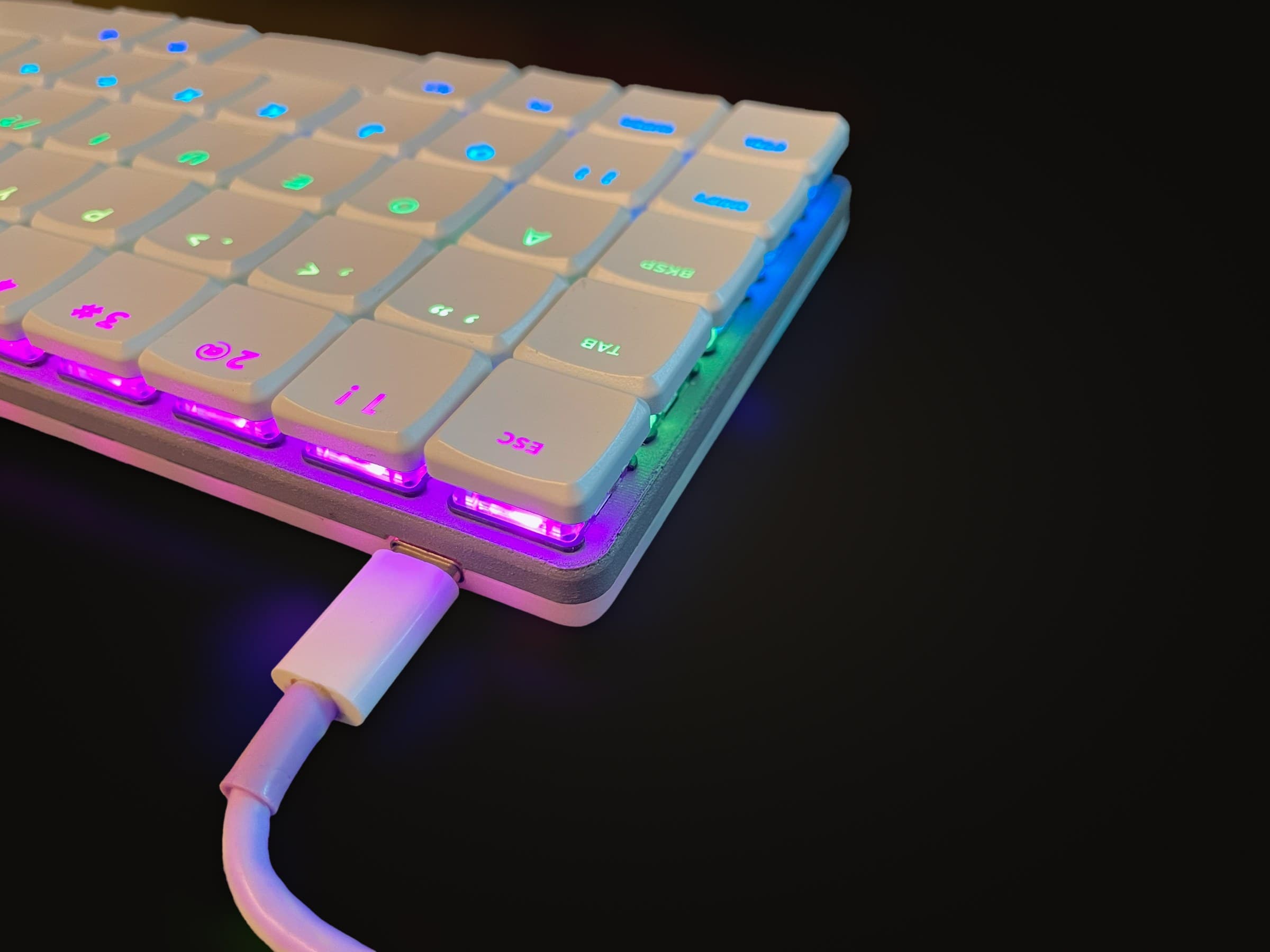
Four USB-C ports
One goes to your computer. The other three are a USB 2.0 hub inside the board, so the mouse receiver and the flash drive plug into the keyboard instead of the laptop.
The same layout
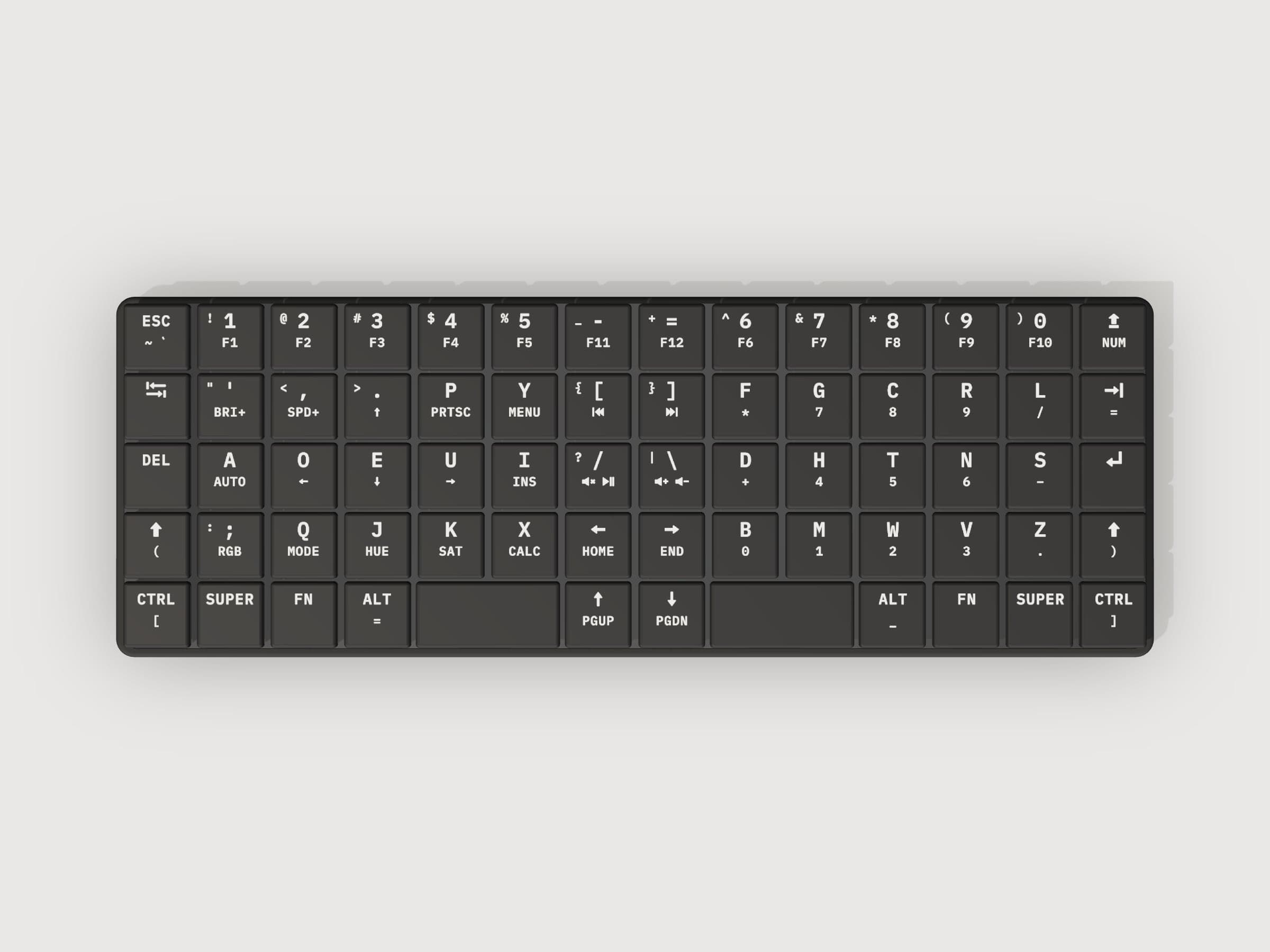
Sixty-eight keys on the same Matrix-Dvorak grid as v1. Nothing you learn on one is wasted on the other. Where a key has an Fn-layer legend, it sits below its main one.
Lower than v1, and no screws
One piece of black nylon, 8.65 mm tall against v1's 9.45, that snaps around the board, switches and black plate.
Mechanical, and yours to change
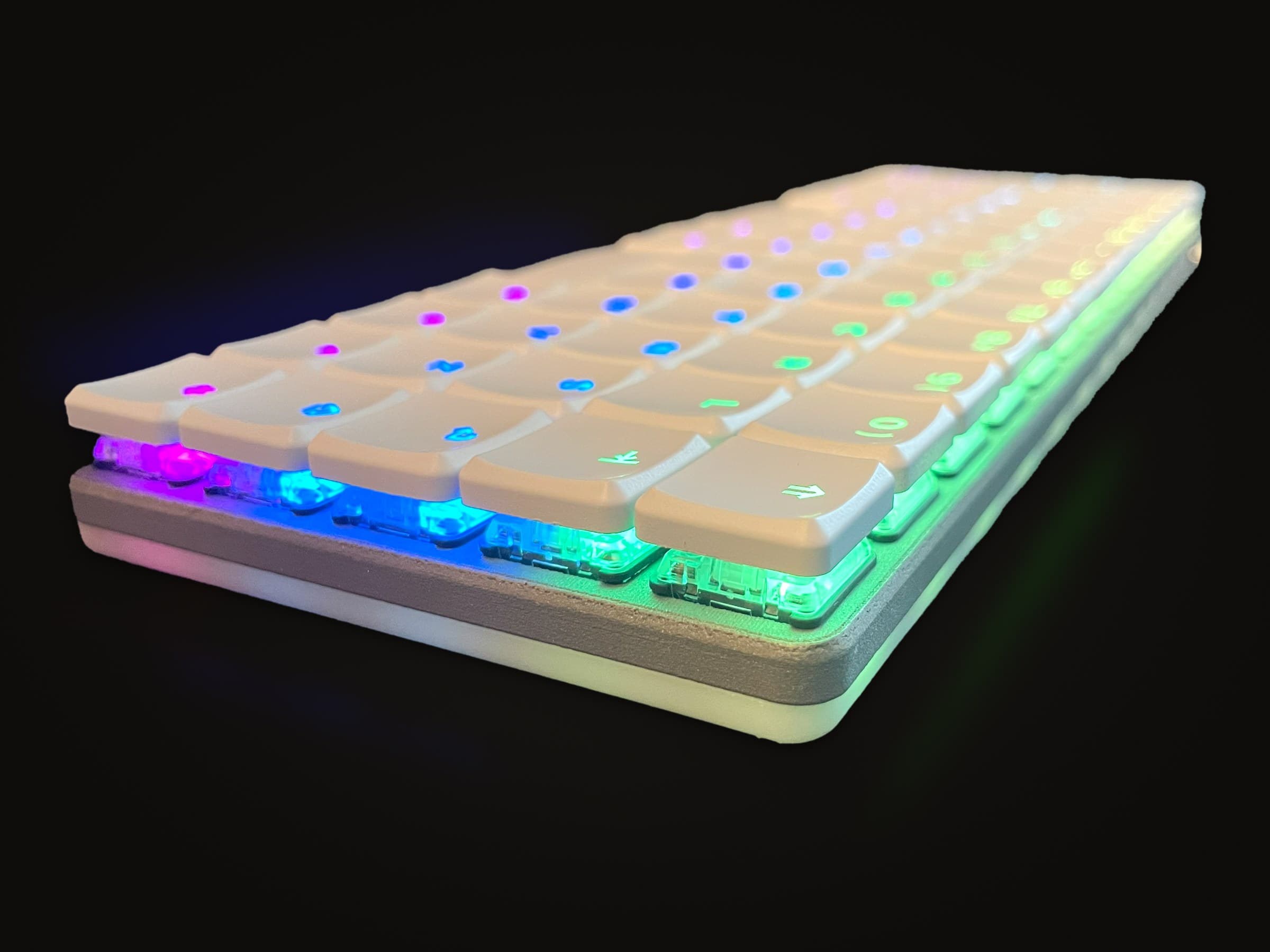
Kailh Choc low-profile mechanical switches in hot-swap sockets, so a switch changes without solder. Per-key RGB lights each legend through the black caps, and QMK on v1's STM32 controller means a v1 keymap carries straight over.
v2 is wired: the battery-and-Bluetooth design is not for sale, and this is the board that ships. None of the v2 pictures or videos are photographs. The 3D model at the top and the plain renders come straight from its CAD; the desk, studio and night scenes, the clip above included, set that CAD model in AI-generated surroundings.
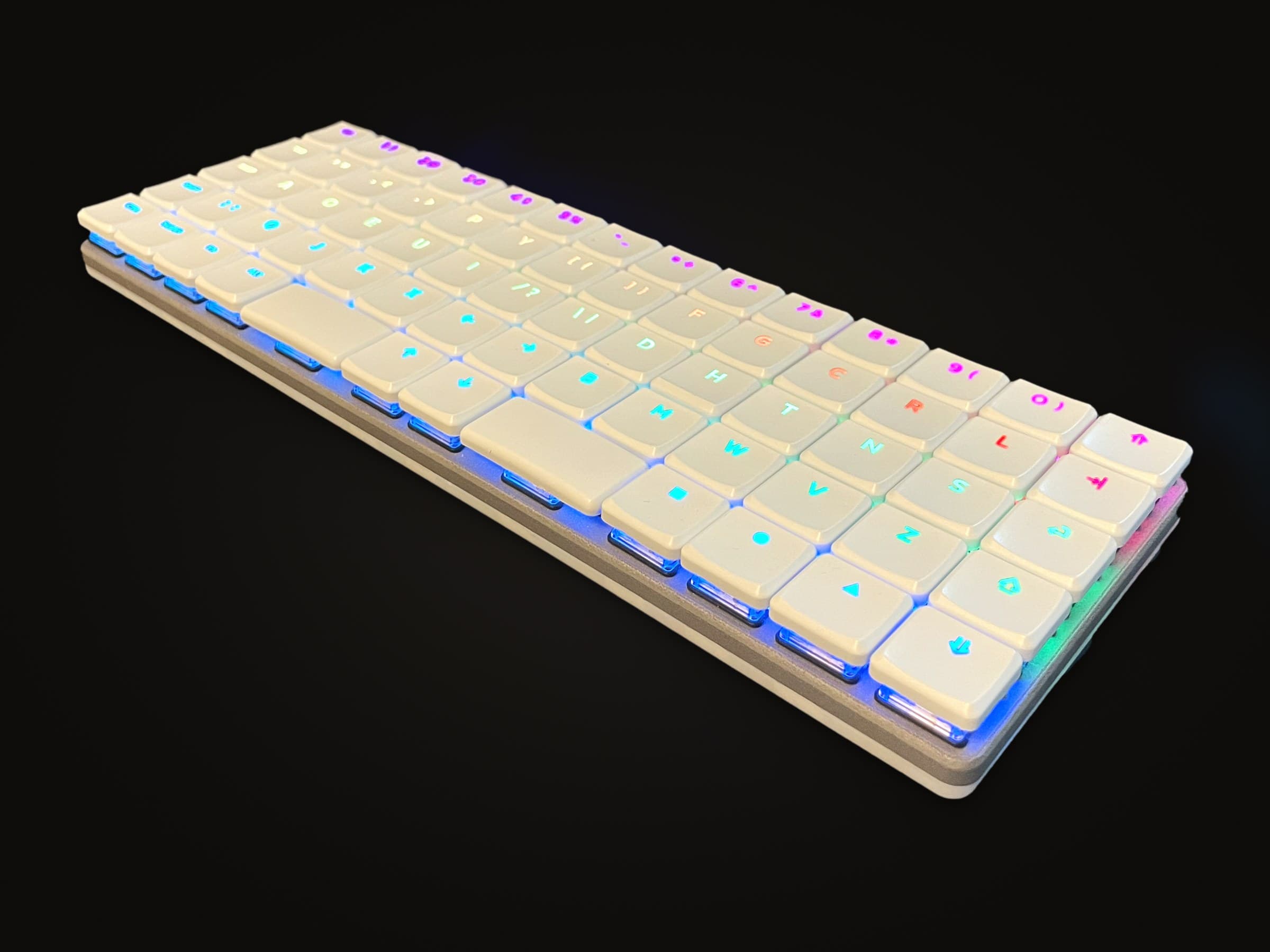
KeBe v1, built and photographed
v2 and the Lite are not built yet, so their pictures are renders. v1 is built: these are photographs of one. It is the board both are drawn from, on the same 68-key grid, hand-built in small batches and sold out.
Why make the change?
The keyboard you learned on was designed around a typewriter. Two of its habits survive on every laptop, and neither has a reason to any more.
The whole argument in 48 seconds, drawn in KeBe's own keys.
Or read on: the words below have the history, the rest of the layout and the reason behind every move.
Rows knocked sideways
On a typewriter every key sat on a lever that ran straight back under the keys behind it, so each row was shifted sideways to let the levers pass. A keyboard has no levers, yet the offset stayed. Half a key between the number row and the row with Q on it, a quarter of a key more to the home row, and half a key again to the bottom row: every finger still reaches off at an angle for the keys above and below its home. KeBe's keys sit in straight columns on an 18 by 17 mm grid, so each finger moves straight up and down its own.
Letters kept apart
Every typebar struck the same spot on the page. Hit two keys too close together and their bars could meet on the way up and jam, so QWERTY was laid out to keep common letter pairs apart: an order for the machine, not for your fingers. August Dvorak started from the hands instead, in the 1930s: the vowels under the left hand's resting fingers, the most-used consonants under the right's, and the rarest letters down on the bottom row. KeBe's letters are his.
Nothing on a digital keyboard can jam. Keeping either habit only costs your hands.
How Dvorak placed the letters
August Dvorak taught education at the University of Washington. With William Dealey he counted which letters and which pairs of letters English uses most, studied how the hand moves, and watched slow-motion films of typists at work. The order they patented in 1936 follows from a few rules. KeBe's letters are theirs, so every rule below holds on KeBe.
The home row does the work
The row your fingers rest on reads A O E U I under the left hand and D H T N S under the right. Add up how often each letter turns up in English and about 71% of the letters you type land on that row. On QWERTY's A S D F G H J K L it is about 34%, so two letters in three are a reach.
Hands take turns
Words tend to go consonant, vowel, consonant, vowel. With the vowels on one side and the consonants on the other, a word like HOME or TOMATO passes from hand to hand with every letter: one hand reaches while the other strikes, for a steadier rhythm and less work for any single finger. Seven in ten of the letter pairs inside English words switch hands, against about half on QWERTY.
Strokes roll inward
When one hand has to type two letters in a row, Dvorak wanted the stroke to run from the edge of the board toward the middle, from the little finger toward the pointer. Drum your fingers on a desk and you will likely find that the easier way round. TH, the most common pair in English, rolls in from the middle finger to the pointer, and ND, OU, NG and ST roll in too. Nearly two in three of the pairs one hand types with two fingers roll inward, against about half on QWERTY.
One finger, one key at a time
Two different keys under the same finger, one straight after the other, are the slowest kind of pair to type, and worse still when the finger has to hurdle the home row between top and bottom. QWERTY asks for it in ED and DE, and makes you hurdle in CE and UN. Dvorak kept common pairs off a single finger: on KeBe that happens in about 1 pair in 40, against 1 in 15 on QWERTY.
Rare letters at the bottom
The bottom row is the hardest to reach, so Dvorak sent the rare letters down there: Q J K X under the left hand and B M W V Z under the right. About 8% of the letters you type are on that row. QWERTY puts N, the sixth most common letter in English, on its bottom row and sends about 15% of the letters there.
More for the right hand
Most people are right-handed, so Dvorak gave the right hand the bigger share: about 57% of the letters you type. QWERTY leans the other way. Its left hand types about 59% of them, and whole words like was, were, after and exaggerated with no help from the right.
What KeBe adds
Symbols in the middle
The - = [ ] / \ keys a standard board leaves to your right pinky sit in the two middle columns, where your pointer fingers take them: far stronger fingers than your pinkies. They also set your hands further apart. KeBe's pointer-finger home keys are 9 cm apart, against 5.7 cm on a standard keyboard, so your wrists bend less.
Both thumbs, both sides
Two space bars sit under the thumbs, and Shift, Ctrl, Alt, Fn and the Super key are mirrored on each side, so a shortcut takes one key from each hand instead of a stretch with one.
Sixty-eight keys, nothing missing
Hold Fn and the left hand's home keys become arrows, the right hand's a number pad, and the number row F1 to F10. Media controls sit in the middle columns. Nothing is more than a finger's reach from home.
Typos fixed in the keyboard
The firmware carries a dictionary of common misspellings and corrects a word the moment you finish it, by itself, on any computer you plug into: accomodate becomes accommodate before you look up. There is nothing to install. If it was right the first time, Backspace straight after puts your word back and it is left alone from then on, and Fn + A switches the whole thing off.
Nothing sits where a standard keyboard puts it, so you learn KeBe as a new instrument instead of unpicking old habits one key at a time. Switching takes practice, and the first weeks are slower. Once it is in your hands you stop thinking about the keyboard at all: that is the mindless mastery in the name.
A free typing game, one letter at a time.